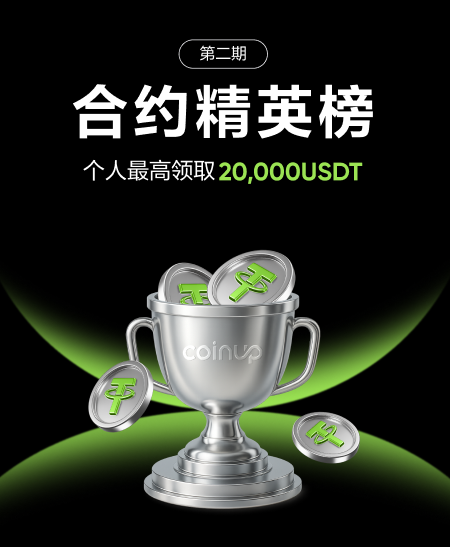
1) Feature Introduction
The Elite Leaderboard is a trading leaderboard feature launched by CoinUp. Through transparent data display and social mechanisms, it allows users to:
View the real trading performance of contract traders
Understand different trading styles (Profit Amount / ROI / Trading Volume)
Participate in leaderboard events and win rewards
Follow outstanding traders and build trading social connections
The leaderboard supports multi-dimensional rankings and is suitable for different types of users:
Beginners: Learn trading styles and observe stable traders
Advanced users: Benchmark personal performance and optimize strategies
Professional traders: Increase exposure and attract followers
2) How to Enter the Contract Leaderboard
Users can enter the Contract Leaderboard page through the following three methods, all of which will lead to the same [Elite Leaderboard Homepage].
Method 1: Homepage Event Pop-up
Enter the CoinUp homepage
Click the “Elite Leaderboard” event pop-up
The system will directly redirect to the leaderboard homepage
👉 This is the fastest direct access
Method 2: Main Navigation Entry
Open the App main navigation / More features page
Click “Elite Leaderboard”
Enter the leaderboard homepage
👉 A stable and long-term entry point
Method 3: Contract Trading Page
Enter any contract trading page (e.g. BTCUSDT Perpetual)
Click the “Elite Leaderboard” entry on the page
Enter the leaderboard homepage
👉 Targeted at users actively trading contracts, with higher conversion
3) Contract Leaderboard Homepage Description
After entering the Contract Leaderboard, users can see the following content:
Event Information Section
Current event prize pool
Event countdown
Number of participants
Leaderboard Dimension Switching
Users can switch different ranking dimensions via Tabs:
Time Dimensions
Daily
Weekly
Monthly
Metric Dimensions
Profit Amount (USDT)
ROI (%)
Trading Volume (USDT)
After switching, leaderboard data will refresh automatically.
Leaderboard List
Each ranked user will display:
Avatar / Nickname
Current ranking
Corresponding metric data
Share button
My Ranking (My Information)
The user’s own status is fixed in the leaderboard:
If not ranked: displays “Not Ranked”
If ranked: displays current ranking and corresponding metric data
Clicking “Not Ranked” or the ranking information will enter the Personal Profile (Trading Performance Page).
4) Share Feature Description
The Contract Leaderboard supports two sharing methods:
Event Sharing (General Poster)
Entry: “Share Event” at the top of the leaderboard homepage
Displayed content includes:
Event theme
Prize pool information
Invitation code / UID
QR code
Supported actions:
Save image
Copy
More (system share)
👉 Suitable for promoting the event itself
Personal Performance Sharing (Personal Poster)
Entry: Click the “Share” button of a user in the leaderboard
Displayed content includes:
User avatar / nickname / UID
Current ranking
Corresponding metric data (Profit Amount / ROI / Trading Volume)
Invitation code / QR code
👉 Shared content changes automatically based on the currently selected metric
5) Personal Profile (Trading Performance Page) Description
After entering the personal profile, users can view their detailed trading performance.
The page contains four core Tabs:
1️⃣ Profit Amount
Displays absolute profit (USDT)
Usually shown in bar charts
2️⃣ ROI
Displays ROI (%)
Used to measure trading efficiency
3️⃣ Asset Trend
Displays account asset changes over time
4️⃣ Common Trading Pairs
Displays distribution of most frequently traded pairs
Used to identify concentration risk
Time Range Switching
Users can select:
7 days
30 days
180 days
Last 1 year
After switching, data in the current Tab will refresh synchronously.
6) Follow and Social Features
Follow Others
Click “Follow” on the leaderboard or other users’ profiles
After following, you can view their trading performance
You can unfollow at any time
Followers / Following List
Click “Followers” or “Following” in the personal profile
View the corresponding user lists
Supports follow back / unfollow operations
7) Reward Records Description
Access Path
Assets → Contract Account → Elite Leaderboard → Reward Records
Page Content
Total reward amount (USDT)
Reward details (ranking, reward type, time)
Date Filter
Supports:
7 days / 30 days / 90 days
Manual date range selection
After filtering, reward summary and details will update synchronously.
8) Frequently Asked Questions (FAQ)
Q1: Who can participate in the Contract Leaderboard?
Users who have completed CoinUp KYC verification and opened a contract account can participate.
Q2: What does “Not Ranked” mean?
It means your data has not entered the leaderboard display range under the current time and metric dimensions.
Q3: Is leaderboard data real-time?
Leaderboard data is updated according to system-defined frequency and is not updated per second.
Q4: Will switching Profit Amount / ROI / Trading Volume affect rankings?
Yes.
Different metrics use different sorting rules, and ranking results may vary.
Q5: If ROI is high but profit amount is low, will it affect the leaderboard?
Profit amount and ROI are independent leaderboard dimensions and do not affect each other.
Q6: What data is displayed on the shared personal poster?
Displayed content depends on the currently selected leaderboard metric:
Profit Amount leaderboard → shows profit amount
ROI leaderboard → shows ROI
Trading Volume leaderboard → shows trading volume
Q7: Can completed leaderboards still be viewed?
Yes.
You can view past events and final rankings via “Elite Leaderboard History”.
Q8: When are leaderboard rewards distributed?
Reward distribution time is subject to specific event rules and can be checked in reward records.
Q9: Will following others affect my ranking?
No. Following is a social feature only and does not affect leaderboard data.
Q10: Does the Contract Leaderboard support spot or other products?
Currently, it focuses on contract trading and will gradually expand to more market types.
0 comments
Please sign in to leave a comment.